

Unified chat for streamers
Unified live chatFast summary
All your stream chat in one place
Castream combines chat from YouTube, Twitch, and Facebook into a single live feed so you can read and reply without switching apps.
- 1One chat feed for all platforms
- 2Works on desktop and mobile
- 3No OBS plugins or browser juggling
A better way to manage live chat
- 01Connect your streaming destinations once.
- 02Go live from Castream or OBS.
- 03View every message in a single, real-time feed.
Built for real streaming workflows
- No tab switching during streams.
- No missing messages from smaller platforms.
- Optimized for fast reading and replies.
Chat Operator Mode
Chat Operator Mode lets you separate streaming and chat moderation. One device handles the stream. Another device handles chat.
Device A: streams video and shows a QR code
Device B: scans the QR and becomes the chat console
No logins, no passwords, no app switching
You can switch chat operators mid-stream without interrupting the broadcast.
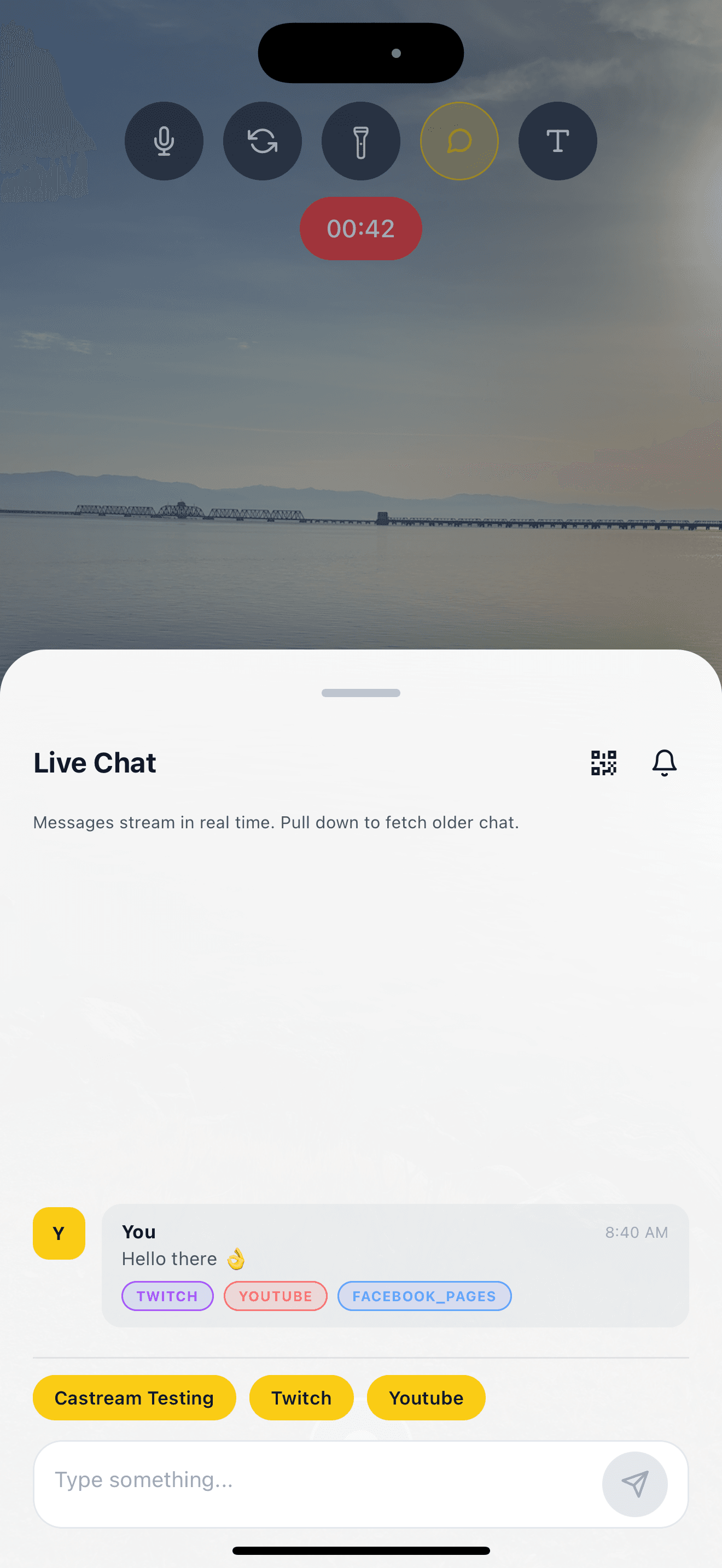
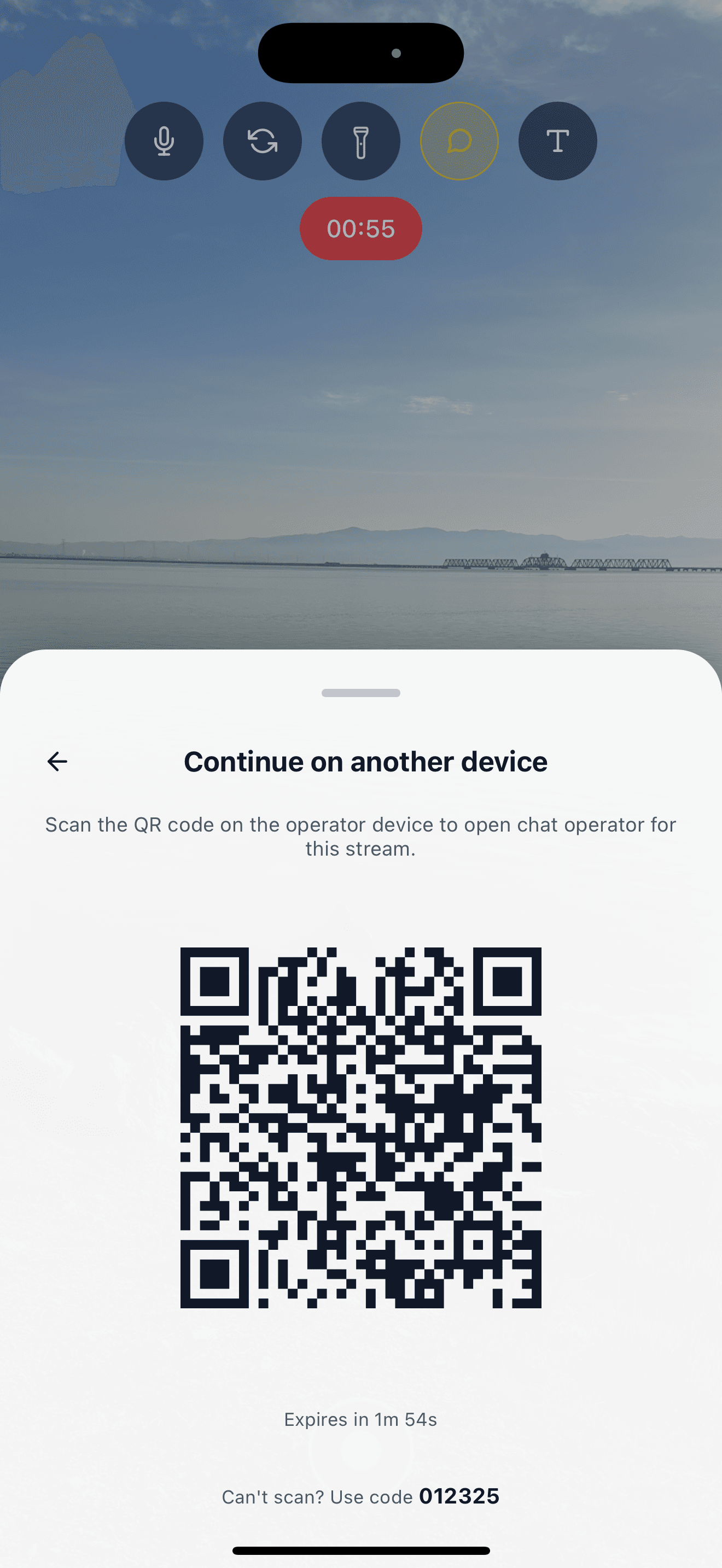
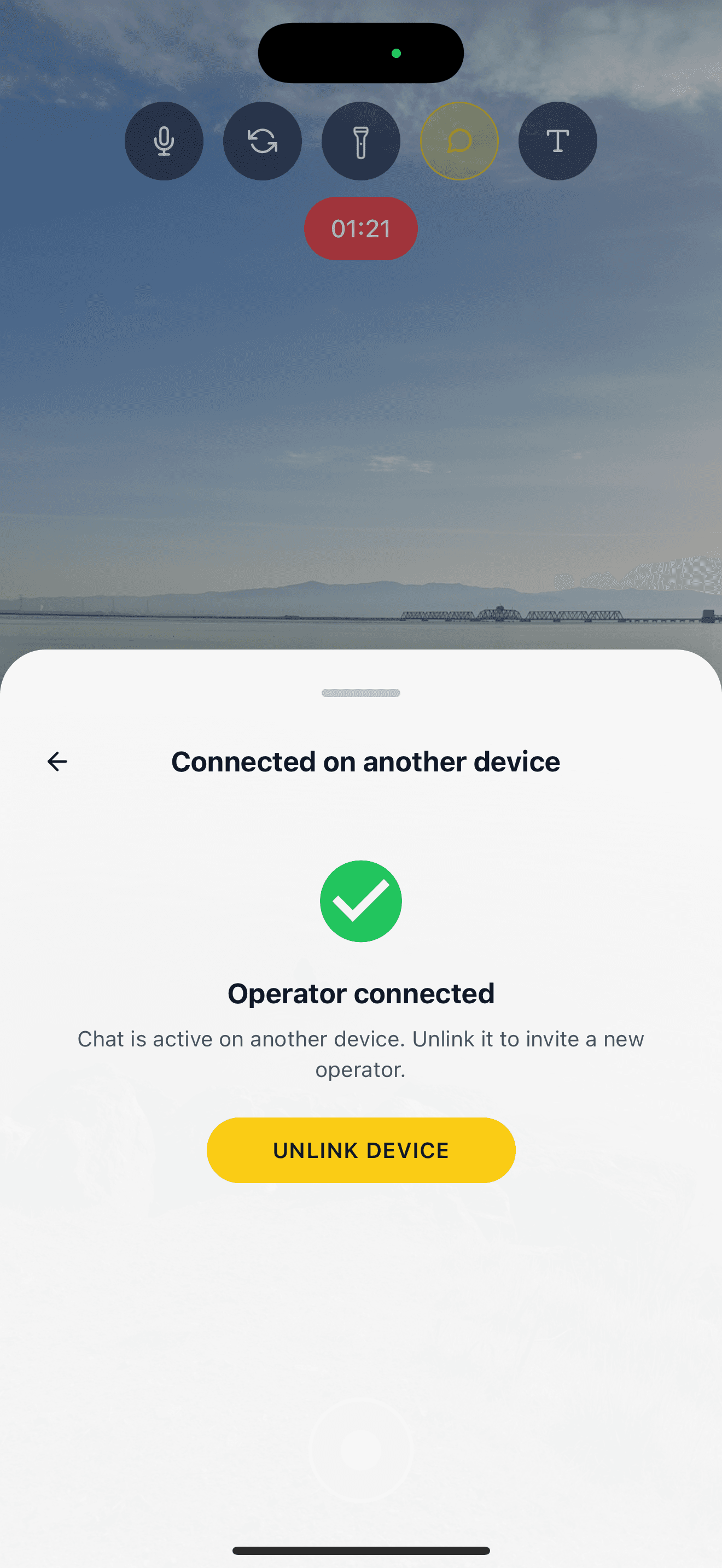
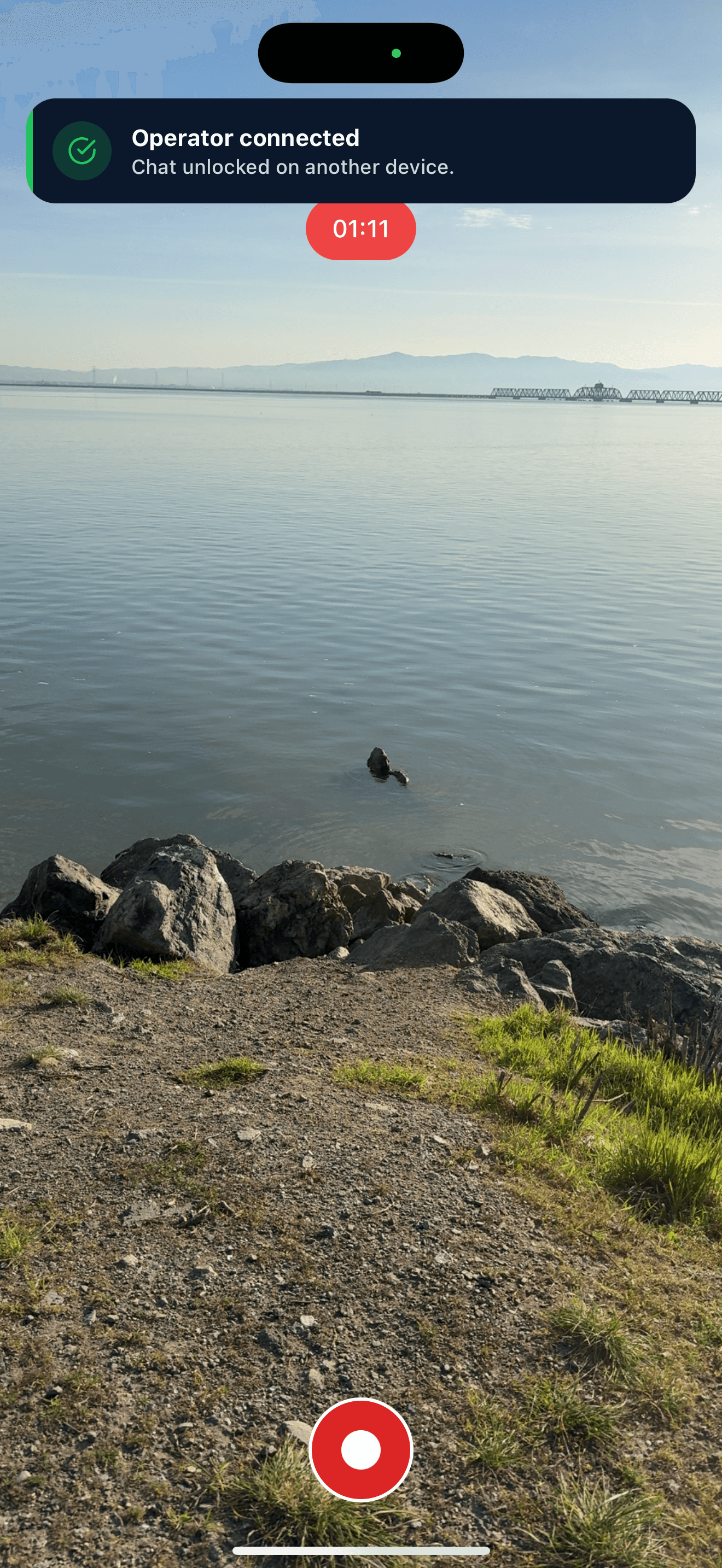
Stream from one device, manage chat from another.
Why creators use unified chat
| Without Castream | With Castream |
|---|---|
| Multiple chat windows | One unified chat feed |
| Miss messages during streams | Every message in one place |
| Hard to chat on mobile | Mobile-first chat UI |
| Manual switching between apps | QR-based chat handoff |
How Castream handles chat
Platform-aware messages
- Messages are labeled by platform.
- No confusion about where replies go.
- Built for high-volume chat.
Fast replies
- Reply from one input box.
- Messages route automatically.
- Designed for low-latency streams.
Who this is for
| Creator type | Why unified chat helps |
|---|---|
| IRL streamers | Chat from a second phone while streaming |
| Gamers | No alt-tabbing mid-game |
| Podcasters | One person hosts, one handles chat |
| Live sellers | Reply fast to questions across platforms |
Get started with unified chat
- Connect your platforms
- Start a stream
- Open chat on any device
- Reply without distractions
Need help setting it up?
Tell us how you stream and we’ll help you get chat running in minutes.
[email protected]