
What overlays do for your streams
OverlaysFast summary
Real-time visuals that make your stream feel alive
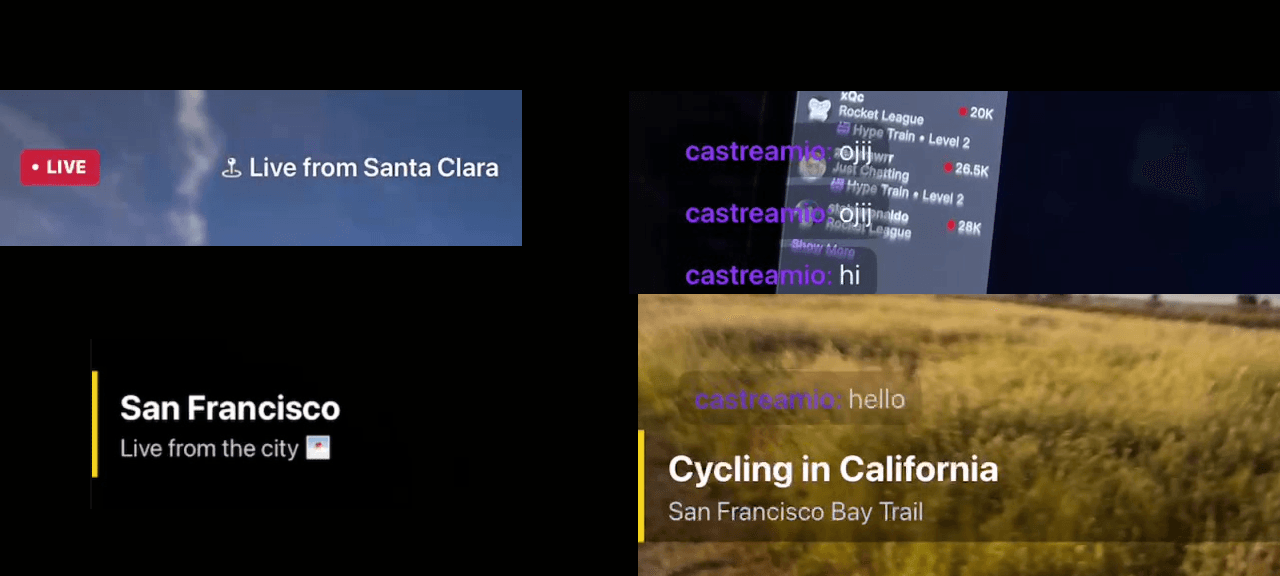
Castream overlays run live on your device, letting you add chat, titles, and context without interrupting your stream.
- 1Live chat overlay from multiple platforms rendered directly on your video.
- 2Lower thirds and titles to introduce people, topics, or segments.
- 3Platform-aware live badges with dynamic styling.
- 4Location and custom text overlays for context.
- 5Real-time control — update everything while live.
See overlays in action
Everything happens live while you stream. No editing, no waiting — just tap and update instantly.
- Chat overlay: Messages appear in real time from all destinations.
- Lower thirds: Add names, titles, or topics instantly.
- Live badges: Automatically styled per platform.
- Dynamic text: Update overlays mid-stream without interruptions.
Swipe through to see overlays during an active stream.
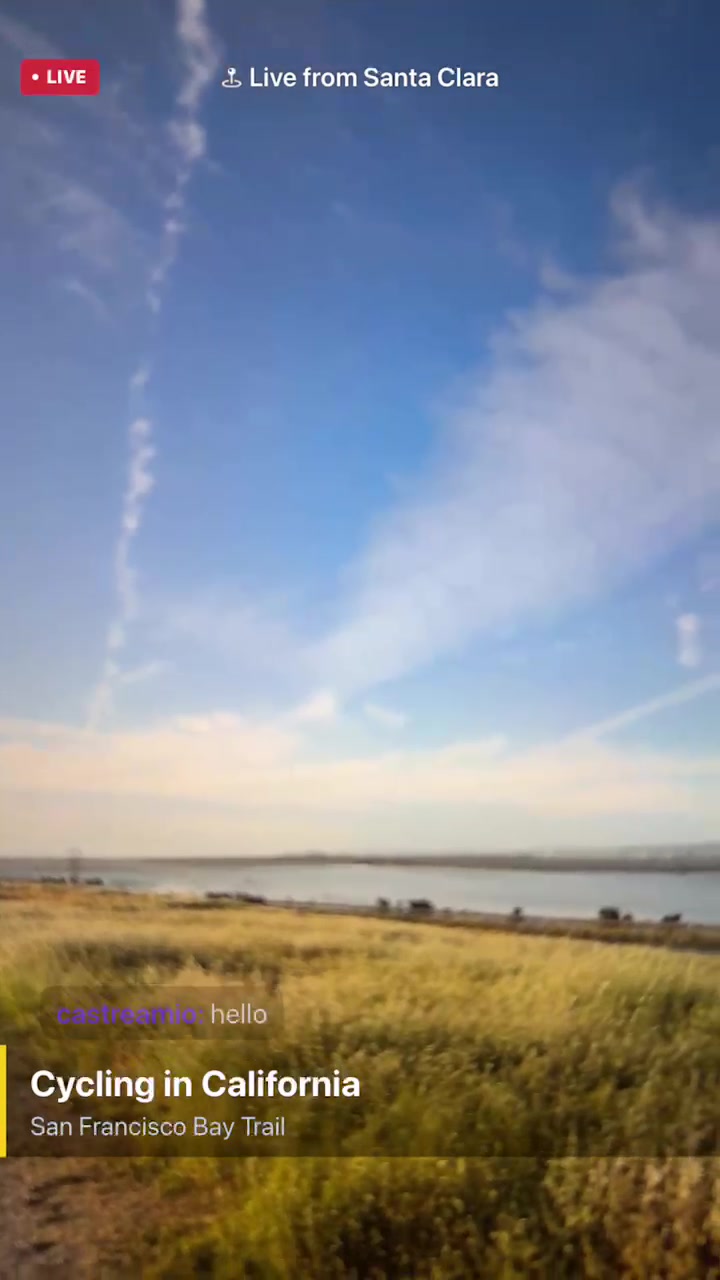
Video output created by Castream app.
Overlay types
Live chat overlay
- Display messages from YouTube, Twitch, Facebook, and more.
- Bring audience interaction directly into your video.
- Filter or hide messages to stay platform-safe.
- Perfect for engagement-driven streams.
Lower thirds
- Introduce speakers, topics, or segments.
- Clean animations that feel professional.
- Show and hide instantly while live.
- Works for creators, interviews, and live events.
Live badges & platform styling
- Animated “LIVE” indicator.
- Platform-specific colors (Twitch, YouTube, Facebook).
- Subtle but powerful visual signal for viewers.
- Builds trust and clarity instantly.
Context overlays
- Add location like “Live from San Francisco”.
- Display event names or custom messages.
- Update text in real time.
- Perfect for IRL streams and real-world content.
Built for mobile
- Designed specifically for touch — not adapted from desktop tools.
- Lightweight and optimized for performance.
- No setup, no scenes, no complicated workflows.
- Everything works live, exactly when you need it.
Why overlays matter
| Without overlays | With overlays |
|---|---|
| Plain video stream | Structured, professional-looking broadcast |
| No audience visibility | Live chat appears directly in-stream |
| No context for viewers | Titles, location, and info always visible |
| Feels casual or unfinished | Feels intentional and high-quality |
Need help?
Tell us what you're trying to build and we’ll help you design the perfect overlay setup.
[email protected]