
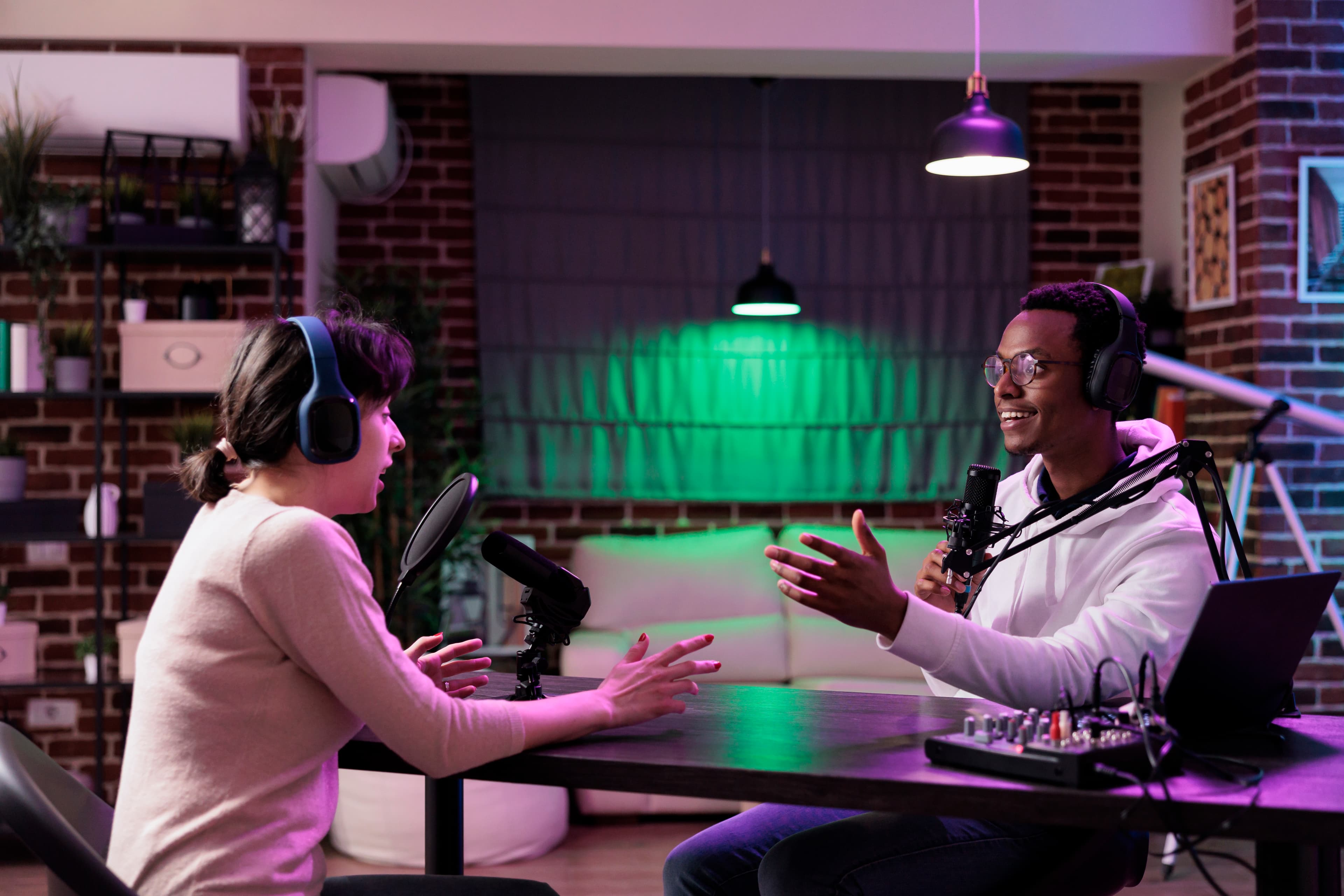
Live podcast streaming made simple
Stream your podcast live to YouTube, Facebook, Twitch, and RTMP destinations from one setup
Castream helps podcasters, interview hosts, talk shows, and video creators multistream live episodes, manage audience Q&A, and keep the workflow simple whether the show is studio-based, remote, or mobile.
- 1
Live stream your podcast to multiple platforms without managing separate go-live workflows for each one.
- 2
Use your existing setup with OBS, remote guest tools, audio interfaces, cameras, and your preferred recording chain.
- 3
Keep audience interaction in one place with unified chat across supported platforms.
- 4
Move between studio and mobile segments without rebuilding your destination setup every time.
Why podcasters and talk shows go live
A live podcast creates a different kind of audience connection. Instead of only publishing the finished episode later, you can turn the recording session itself into content, bring in live comments and Q&A, and build momentum across multiple platforms at the same time.
That works especially well for:
- interview podcasts
- business and founder shows
- commentary and reaction shows
- sports and news talk shows
- creator podcasts
- panel discussions and community shows
Typical live podcast setup
- 01Run your usual mic, camera, and recording setup.
- 02Send the show through OBS or Castream mobile.
- 03Connect YouTube, Facebook, Twitch, and RTMP destinations.
- 04Go live once and distribute the episode everywhere at the same time.
What this helps with
- Live audience growth across multiple platforms.
- Real-time Q&A during episodes and interviews.
- A simpler multistream workflow for regular weekly shows.
- More value from each episode by turning recording into live content.
Stream your podcast to YouTube, Facebook, Twitch, and more
A lot of podcast creators do not want to pick only one platform for live distribution. Some audiences watch on YouTube, others catch clips or live sessions elsewhere, and some communities are stronger on Facebook or Twitch.
Castream makes that simpler by letting you send one live feed in and distribute it out across your destinations.
One stream in, multiple destinations out
Instead of setting up a separate workflow for each platform, you send one live podcast feed into Castream and distribute it across your selected destinations.
Use OBS and your existing production stack
Keep your current workflow with mics, cameras, scenes, overlays, lower thirds, and audio routing. Castream fits the setup instead of forcing a strange rebuild.
Works for studio, remote, and mobile formats
Use it for desk-based video podcasts, guest interviews, panel discussions, field segments, event coverage, or hybrid shows.
Bring live Q&A into the episode
Unified chat helps you track comments and questions from your live audience without juggling separate chat windows all over the place.
Live video podcast workflows
Studio podcast and desk setup
- Use OBS with your camera, mic chain, and overlays.
- Run a polished weekly video podcast with repeatable production.
- Multistream each episode to multiple platforms from one setup.
Remote guests and hybrid segments
- Bring in guests through Zoom, Riverside, SquadCast, Discord, or other tools.
- Capture the guest feed in your normal production workflow.
- Keep the same streaming destinations even if the format changes between episodes.
Guest flexibility for podcast creators
Castream does not try to lock you into one guest platform or one style of show.
- Use Riverside, SquadCast, Zoom, Discord, or other conferencing tools in your preferred setup.
- Route the final show through OBS or your mobile workflow.
- Keep your multistream distribution consistent regardless of how you record the episode.
- Useful for interviews, debates, co-hosted shows, panel episodes, and live call-ins.
Unified chat for live podcast Q&A
One of the best parts of live podcast streaming is the audience interaction, but that gets messy fast when comments are split across platforms.
With unified chat, you can:
- monitor live questions more easily
- keep moderators in one workflow
- surface audience reactions during interviews
- handle Q&A without opening five different dashboards like a lunatic
This is especially useful for shows that rely on audience participation, community questions, or frequent live reactions.
Common use cases for live podcasts and talk shows
- Founder podcasts and business interviews.
- Creator podcasts and community talk shows.
- News, sports, and commentary livestreams.
- Panel discussions with multiple guests.
- Educational shows, live explainers, and expert interviews.
- Hybrid shows that switch between desk segments and live field content.
Podcast and talk show live stream checklist
| Need | Castream solution |
|---|---|
| Live stream to multiple platforms | Multistream from one workflow |
| Use existing OBS setup | Compatible with OBS and RTMP-based production |
| Guest flexibility | Works alongside your preferred remote guest tools |
| Live Q&A across platforms | Unified chat in one place |
| Studio and mobile segments | Consistent destination setup across formats |
| Repeatable weekly show workflow | One input and one distribution path |
| High-quality long-form shows | Creator and Pro plans for longer sessions and broader distribution |
Tips for better live podcast streaming
- 01Keep show titles clear and searchable, especially for interviews, episode topics, and guest names.
- 02Use lower thirds and overlays so the livestream looks like a real show, not a webcam accident.
- 03Have one person monitor chat during guest-heavy episodes if audience questions matter.
- 04Use the same scene structure each week so your production stays predictable.
- 05Turn strong live moments into clips after the stream to extend the episode’s reach.
FAQs about live podcast streaming
Can I live stream my podcast to YouTube and Facebook at the same time?
Yes. Castream lets you distribute one live podcast feed to multiple platforms from a single workflow.
Does this work with OBS?
Yes. If your show already runs through OBS, Castream can fit into that setup without requiring a major rebuild.
Can I use remote guests?
Yes. You can keep using remote guest tools like Zoom, Riverside, SquadCast, Discord, or similar platforms as part of your existing production flow.
Is this only for podcasts?
No. It also works for talk shows, interview shows, commentary streams, news discussions, panel shows, and other live video formats built around conversation.
Need help setting up your live podcast workflow?
We can help you plan a multistream setup for podcasts, talk shows, interviews, and live audience Q&A.
[email protected]