
Castream Help Center
How can we help?
Browse categories or jump into the latest guides to get streaming fast.
Categories
4 TotalLatest articles
11 ArticlesPlatform Guides6/9/2026
How to Stream to TikTok LIVE with RTMP Using Castream
How to Stream to TikTok LIVE Using RTMP
You can stream to TikTok LIVE using Castream by connecting your TikTok account through TikTok’s RTMP live streaming option.
This lets you send your Castream broadcast to TikTok using a Server URL and Stream Key, the same way you would connect OBS or other streaming software.
Here’s how to do it the right way 👇
✅ RequirementsTo stream to TikTok LIVE with RTMP:
- Your TikTok account must have LIVE access
- You must be 18 years or older
- Your account must be in good standing
- Your account must have access to TikTok’s RTMP / stream key option
- You’ll need to copy your TikTok Server URL and Stream Key
🔗 How to Get Your TikTok RTMP InfoTikTok does not give RTMP access to every account automatically. Some accounts can go live from the mobile app but may not see the stream key option yet.
If you don’t see a Server URL or Stream Key, your account likely does not have RTMP access enabled yet.
- Open TikTok and log in to the account you want to stream from
- Go to the LIVE setup area
- Look for an option such as:
- Stream key
- Cast to PC / Mac
- LIVE Center
- Go LIVE from desktop
- Streaming software
- TikTok will show:
- Server URL
- Stream Key
- Copy both values
📲 Set Up TikTok in Castream AppKeep this page open while setting up your stream.
Your stream key is private. Do not share it publicly or post screenshots showing it.
- Open the Castream app
- Go to Settings → Destinations
- Tap TikTok
- Paste your TikTok Server URL
- Paste your TikTok Stream Key
- Save the destination
- Toggle TikTok ON when you go live
Castream will now send your stream to TikTok using the RTMP details you entered.
🖥️ Set Up TikTok in Castream Web + OBS⚠️ TikTok stream keys may expire or change depending on your account and session. If your stream fails, generate a fresh Server URL and Stream Key from TikTok and update your Castream destination.
If you prefer streaming from a desktop setup using OBS, you can send your OBS feed into Castream first, then let Castream forward it to TikTok and your other destinations.
Step 1 — Get Your TikTok RTMP CredentialsFrom TikTok’s LIVE setup area, copy your:
- Server URL
- Stream Key
Keep the TikTok LIVE page open.
Step 2 — Configure TikTok as a Castream Destination- Log in to Castream Web
- Go to Destinations
- Add or select TikTok
- Paste your TikTok Server URL
- Paste your TikTok Stream Key
- Save the destination
- Download and install OBS Studio
- Open OBS Studio
- Go to Settings → Stream
- Set Service to Custom
- Enter your Castream RTMP URL
- Enter your Castream Stream Key
- Click Apply → OK
- Start streaming from OBS
- Castream will receive your stream
- Keep OBS running while you prepare your TikTok broadcast
- Open the Go Live Dashboard
- Select your TikTok destination
- Select any other destinations you want to stream to
- Click Go Live
Castream will now forward your stream to TikTok.
Step 6 — Confirm Your TikTok LIVEAfter Castream starts sending video to TikTok:
- Return to TikTok’s LIVE setup page
- Wait for TikTok to detect your stream preview
- Add your LIVE title, category, and any required settings
- Click Go LIVE inside TikTok when ready
🧠 Recommended TikTok LIVE SettingsTikTok may require manual confirmation before your stream becomes visible to viewers.
For best results on TikTok:
- Use portrait / vertical video
- Recommended aspect ratio: 9:16
- Recommended resolution: 1080 × 1920
- Use 30 FPS for most streams
- Use 60 FPS only if your connection and device can handle it
- Keep bitrate around 2.5–6 Mbps
- Use a stable Wi-Fi or wired connection when possible
- Test your audio before going live
TikTok is built for vertical viewing, so portrait mode usually looks best for viewers on mobile.
⚠️ Important Notes- TikTok RTMP access is not available to every account
- Your TikTok stream key may change or expire
- If your stream does not connect, generate a new Server URL and Stream Key
- Do not share your stream key with anyone
- Make sure your content follows TikTok’s LIVE rules and community guidelines
- You may need to start or confirm the broadcast manually inside TikTok
- TikTok may not provide RTMP access to all LIVE accounts
- Castream cannot generate your TikTok stream key for you
- Castream cannot bypass TikTok LIVE eligibility requirements
- TikTok chat, gifts, moderation, and LIVE analytics must be managed from TikTok
- If TikTok changes or expires your stream key, you must update it in Castream
- If TikTok ends or restricts your LIVE, Castream cannot restart it automatically
Before going live, make sure:
- Your TikTok account has LIVE access
- You copied the correct Server URL and Stream Key
- TikTok is saved as a destination in Castream
- Your stream is vertical if you want the best mobile layout
- Your internet connection is stable
- Your TikTok LIVE preview appears before you click Go LIVE
Once everything is ready, start your stream from Castream and confirm the broadcast on TikTok.
You’re ready to go live on TikTok 🚀
Platform Guides3/7/2026
How to Stream to Facebook Pages with Castream
You can stream to Facebook Pages using Castream by connecting your Facebook account through secure OAuth authentication.
No manual stream keys.
No RTMP copy-paste.
Just connect your Facebook Page and go live.
Here’s how 👇
✅ RequirementsTo stream to Facebook using Castream:
- You must have a Facebook account
- You must have admin access to a Facebook Page
- You must authorize Castream through Facebook OAuth
🔗 Connect Facebook to CastreamCastream does not store your Facebook password. Authentication is handled securely through Facebook.
You can connect Facebook from either the Castream app or Castream Web.
📲 Connect Facebook in Castream APP- Open the Castream app
- Go to Settings → Destinations
- Tap Facebook Pages
- Tap Connect Facebook
- You will be redirected to Facebook
- Log in and authorize Castream
- Select the Pages you want Castream to stream
- Log in to Castream Web
- Go to Destinations
- Click Add Destination → Facebook Pages
- Click Connect Facebook
- You’ll be redirected to Facebook
- Log in and approve the requested permissions
- Select the Pages you want to stream to
Your Facebook Pages are now securely linked to your Castream account.
🚀 Go Live to Facebook From Castream APP- Open the app
- Toggle Facebook Page ON
- Tap Go Live
Castream will automatically publish your stream to the selected Facebook Page.
❌ Limitations- You must maintain an active Facebook authorization
- If you disconnect Castream from your Facebook integrations, you’ll need to reconnect it
- Facebook analytics and moderation tools are managed inside Facebook
Guides3/4/2026
How to Stream to YouTube, Twitch & Facebook Pages at the Same Time (Mobile Guide)
🎥 How to Stream to YouTube, Twitch & Facebook Pages at the Same Time (Mobile Guide)
Streaming from your phone shouldn’t be a headache. But juggling dashboards, stream keys, and complex setups can quickly turn a simple live session into a technical nightmare 😵💫
This guide shows you exactly how to stream to YouTube, Twitch, and Facebook Pages at the same time — directly from your mobile device, without the usual setup.
If you're looking for how to stream to multiple platforms at once, or how to multistream from your phone, this guide walks you through the simplest setup 🚀
🌍 Why Stream to Multiple Platforms?Going live across multiple platforms at once gives you a massive advantage:
🎯 Reach a wider audience
📈 Grow faster across platforms
🔄 Avoid forcing your audience onto one platform
🌐 Be everywhere your audience is
Instead of splitting your time doing separate streams, you maximize your reach with a single broadcast.
👥 Who Is Mobile Multistreaming For?Mobile multistreaming is ideal for creators and organizations who need flexibility without sacrificing reach:
📱 IRL (In Real Life) Streaming
Vloggers, travelers, and event attendees sharing live moments on the go
🛍️ Live Commerce & Product Drops
Selling products, doing live demos, and answering questions in real-time
🎤 On-the-Ground Reporting & Interviews
Journalists, podcasters, and creators covering events or conducting interviews
⛪ Churches & Community Groups
Broadcasting services, events, or updates to reach their entire audience
🎨 Behind the Scenes Content
Musicians, artists, and businesses sharing raw, real-time content
If you’ve tried multistreaming before, you’ve probably run into:
💻 Desktop-only tools like OBS
🔑 Manual RTMP setup
📋 Copying stream keys for every platform
🔀 Managing multiple broadcasts separately
But the real issue is resource usage.
⚠️ High Resource UsageTraditional setups require:
🧠 A powerful computer (CPU/GPU heavy)
🧬 Large amounts of RAM
🌐 High-bandwidth internet upload
🔄 Continuous local encoding
Your machine handles everything:
🎬 Encoding video
🔁 Managing multiple outputs
🛠️ Keeping streams stable
This often leads to:
❌ Dropped frames
🔥 Overheating
🌪️ Loud fan noise
⚡ Stream interruptions
And none of this works well on mobile.
📲 The Simpler Way: Stream from Your PhoneInstead of managing a complex local setup, you can use a mobile multistreaming app like Castream.
With a mobile-first approach, you can:
🔗 Connect YouTube, Twitch, and Facebook Pages
🎛️ Select your platforms before going live
▶️ Start streaming everywhere with a single tap
🚫 Skip OBS, RTMP setup, and local encoding
🧑💻 Add a chat operator from another device using a QR code
☁️ Your phone doesn’t do the heavy lifting — processing happens in the cloud.
No powerful computer required.
🪜 Step-by-Step: Stream to YouTube, Twitch & Facebook Pages 1️⃣ Connect Your AccountsLink your platforms:
YouTube Channel
Twitch Account
Facebook Page(s)
Choose where you want to stream:
YouTube
Twitch
Facebook Pages
and more..
You can stream to one, two, or all three at once.
3️⃣ Prepare Your StreamBefore going live:
🏷️ Set your stream title
🎥 Check camera and audio
📶 Use a stable connection (WiFi or 5G recommended)
Tap Go Live.
Your stream is now live simultaneously on:
YouTube
Twitch
Facebook Pages
or more...
No extra setup required 🎉
Managing chat across multiple platforms while streaming from your phone can be overwhelming.
With Castream, you can assign a chat operator from another device:
📱 Open the chat operator feature
🔲 Display the QR code on your streaming device
📷 Scan it from another phone, tablet, or computer
⚡ Instantly manage chat remotely
This allows you to:
🎯 Focus on your stream
💬 Respond faster to messages
🛡️ Moderate chat across all platforms in one place
Ideal for:
👥 Creators with moderators
🎙️ Live events or interviews
⛪ Churches or organizations
📶 Use strong WiFi for best quality
🎥 Keep your phone stable (tripod recommended)
🚫 Avoid switching apps while live
🔁 Stay consistent with your schedule
Not anymore.
Traditional multistreaming requires:
🔧 RTMP configuration
💻 OBS or desktop software
📋 Manual setup per platform
🧠 High local compute resources
Modern mobile tools handle everything in the cloud, so you can focus on your content instead of the setup.
🧠 Final ThoughtsStreaming to YouTube, Twitch, and Facebook Pages at the same time doesn’t have to be complicated or resource-intensive.
With the right setup, you can go live from your phone in seconds and reach your audience everywhere — without dealing with technical overhead.
🚀 Start Streaming👉 Start streaming free with Castream
Guides3/4/2026
How to Stream to YouTube, Twitch & More Using OBS and Castream
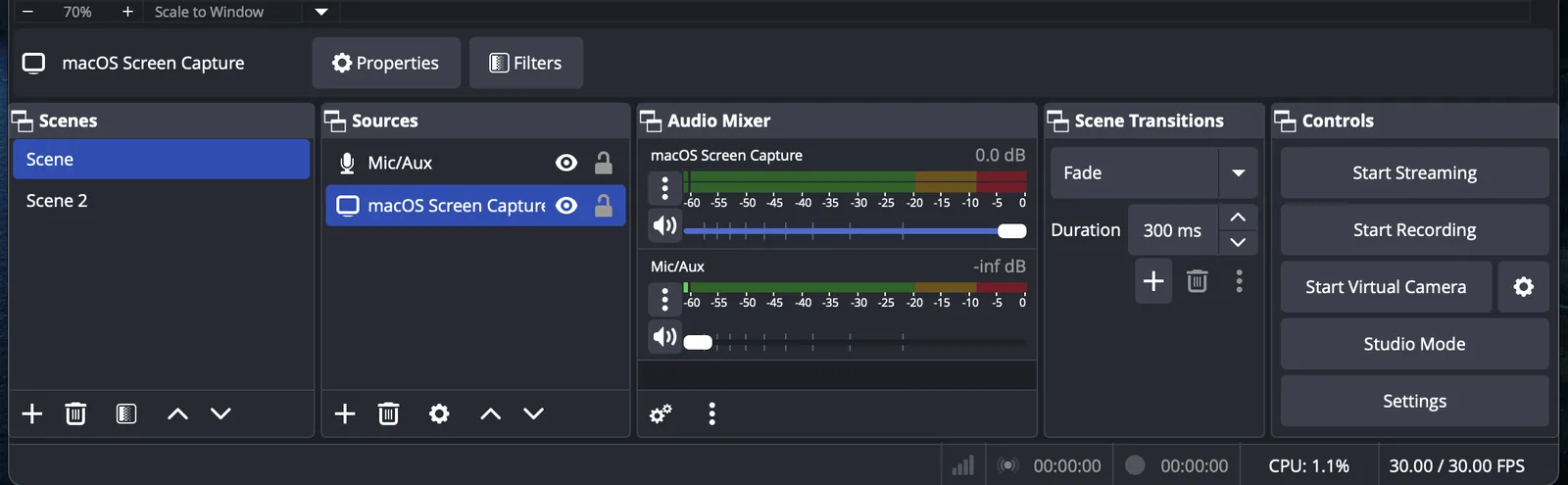
How to Connect OBS Studio to Castream (Step-by-Step Guide)
Learn how to stream with OBS Studio to YouTube, Twitch, Facebook, TikTok, Instagram Live, and more using Castream.
This guide covers:
- How to connect OBS to Castream using RTMP
- Best OBS video and audio settings
- How to multistream to multiple platforms at once
- Common OBS streaming issues and fixes
Works on Windows, macOS, and Linux.
What Is OBS Studio?OBS Studio (Open Broadcaster Software) is a free, open-source streaming software used for:
- Gaming streams
- Screen sharing
- Webinars
- Podcasts
- Live events
- Professional content creation
When you connect OBS to Castream, you send one stream to Castream. Castream distributes it to all your linked platforms simultaneously.
This is called multistreaming.
Step 1: Download and Install OBS Studio- Go to https://obsproject.com
- Download the version for your operating system
- Install using default settings
Tip: Keep OBS updated to avoid encoding or streaming bugs.
Step 2: Create a Scene in OBSScenes control what your audience sees.
- Open OBS
- In the Scenes panel → click ➕ → name your scene (e.g., “Main Stream”)
- Add sources depending on your setup:
- Display Capture → stream your entire screen
- Window Capture → stream a specific application or game
- Video Capture Device → add a webcam
- Audio Input Capture → microphone
- Audio Output Capture → desktop or game audio
You can create multiple scenes and switch between them during your live stream.
Step 3: Connect OBS to Castream (RTMP Setup)To stream from OBS to Castream:
- Open Settings → Stream
- Set Service to: Custom
- Copy your RTMP Server URL from your Castream dashboard
Example:
rtmp://ingest.castream.io/live
- Copy your Stream Key from your Castream dashboard and paste it into OBS
Click OK to save.
Now OBS is connected to Castream.
Castream automatically sends your stream to all linked destinations like:
- YouTube Live
- Twitch
- Facebook Live
- TikTok Live
- Instagram Live
Important: Keep your stream key private. Anyone with it can stream to your account.
Step 4: Best OBS Settings for StreamingOptimizing OBS settings ensures stable streaming and good video quality.
Video Settings (Settings → Video)- Base (Canvas) Resolution: match your monitor (e.g., 1920x1080)
- Output (Scaled) Resolution:
- Free Plan → 1280x720 (720p)
- Creator / Pro → 1920x1080 (1080p)
- FPS:
- 30 FPS → stable
- 60 FPS → smoother gameplay (requires more performance)
Encoder:
- NVIDIA GPU → NVENC (recommended)
- AMD GPU → AMF
- Intel → QSV
- CPU fallback → x264
Recommended Bitrate:
- 2500–4000 kbps → 720p
- 4000–6000 kbps → 1080p
Audio Bitrate:
- 128–192 kbps
If your upload speed is limited, lower bitrate before lowering resolution.
Step 5: How to Go Live with OBS and Castream- Click Start Streaming in OBS
- Go to https://castream.io/secure
- Select your streaming destinations
- Click Go Live
Your stream will now broadcast to all selected platforms at the same time.
One upload. Multiple platforms.
Common OBS Streaming Problems (and Fixes) Black Screen in OBS (Windows Laptops)Right-click OBS → Run with high-performance GPU.
Stream Lag or Dropped Frames- Lower bitrate
- Reduce output resolution
- Check your internet upload speed
- Open the Audio Mixer in OBS
- Make sure your mic and desktop audio sources are added and not muted
- Check platform latency settings
- Avoid excessive bitrate
- Ensure stable upload speed
- Use multiple scenes for layout switching (gameplay + webcam overlay, full webcam, etc.)
- Add overlays and alerts for branding
- Record locally in OBS for high-quality backups
- Test streams privately before major events
OBS desktop streaming works on every Castream plan, including Free.
You can combine:
- Desktop streaming (OBS)
- Mobile streaming (iOS / Android)
- Browser streaming
- External RTMP tools
All from one Castream account.
Frequently Asked Questions Can I stream to YouTube and Twitch at the same time with OBS?Yes. OBS sends one stream to Castream, and Castream multistreams it to all linked platforms simultaneously.
Do I need separate stream keys for each platform?No. You only use your Castream stream key in OBS. Castream handles platform-specific keys behind the scenes.
What bitrate should I use for OBS streaming?- 720p → 2500–4000 kbps
- 1080p → 4000–6000 kbps
Always adjust based on your internet upload speed.
Need more help? Visit the Castream Help Center for additional streaming guides and setup tutorials.
Castream2/28/2026
📱 Best Mobile Live Streaming Setup (2026 Guide)
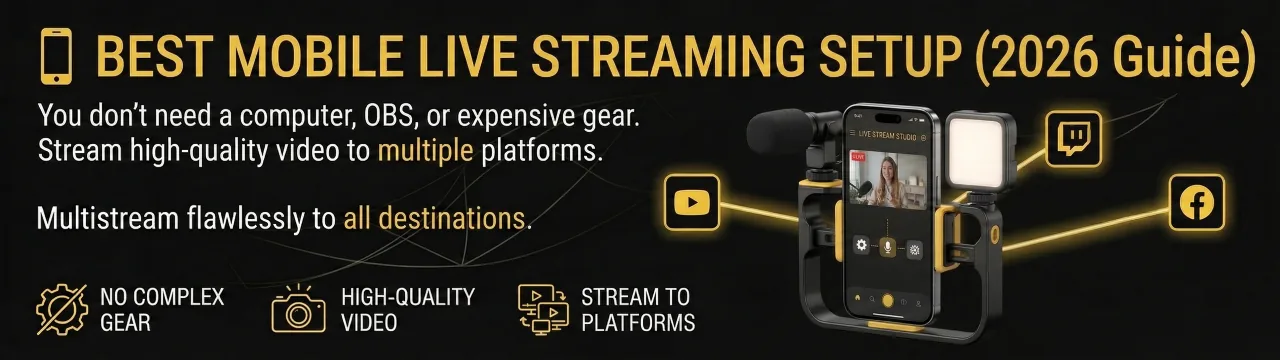
📱 Best Mobile Live Streaming Setup (2026 Guide)
Looking for the best mobile live streaming setup in 2026?
You don’t need a computer, OBS, or expensive gear. With the right setup, you can stream high-quality video from your phone to multiple platforms like YouTube, Twitch, and Facebook.
This guide covers:
- The exact gear you need (beginner → pro)
- How to improve video, audio, and stability
- The best mobile streaming workflow using Castream
If you want a reliable setup right now:
- 📱 Phone: iPhone or Android (recent model)
- 🎤 Audio: External microphone
- 🌐 Connection: Reliable network (WiFi, 5G, or LTE depending on your environment)
- 📡 App: Castream (automatic bitrate + multistreaming)
👉 Castream automatically adjusts quality for mobile streaming, typically 720p or 1080p depending on your plan and connection.
🧠 What Makes a Good Mobile Streaming Setup?A high-quality mobile stream depends on three core components:
- 📱 Video (your phone camera)
- 🎤 Audio (your microphone)
- 🌐 Network (your internet connection)
If one fails, your stream quality drops immediately.
📱 1. Best Phone for Live StreamingYour phone handles everything: camera, encoding, and streaming.
Recommended specs:- Stable performance (no overheating)
- Good camera (front or rear)
- Reliable encoding for longer sessions
- iPhone (A14 chip or newer)
- Android flagship or strong mid-range
🎤 2. Audio (Most Important Upgrade)💡 Use the rear camera for better quality when possible.
Audio quality is the #1 factor in viewer retention.
Options:- 🎤 External microphone (recommended)
- 🎧 Wired earbuds (simple fallback)
- 📱 Built-in mic (last resort)
🌐 3. Best Internet for Live Streaming🔥 If you upgrade one thing, upgrade your audio.
Your connection determines stream stability and quality.
Connection types:- 🏠 WiFi → Best for higher quality and stability (ideal for indoor streaming)
- 📶 5G / LTE → Best for mobility and outdoor streaming
- ⚙️ Automatic bitrate adjustment based on your network
- 📺 Resolution adapts (typically 720p or 1080p)
- 📉 Quality adjusts dynamically to prevent drops
- WiFi → higher bitrate, better quality, more stable
- Mobile data → more flexible, but can fluctuate
📡 4. Best Mobile Streaming App⚠️ The best connection is the one that’s stable in your environment, not just the fastest on paper.
You need a mobile app that can:
- Encode video efficiently
- Adapt to network conditions
- Stream to multiple platforms
- Provide a preview before going live
- 📡 Multistream to YouTube, Twitch, Facebook, and more
- ⚙️ Automatic bitrate optimization for mobile
- 👀 Built-in live stream preview
- 🌐 Share your stream via your @handler profile
- 📱 Designed specifically for mobile streaming
👉 You can stream on Castream alone or connect external destinations.
🧩 Optional Gear (Upgrade Your Setup)Once your basics are solid, these upgrades improve quality significantly:
📸 Tripod or phone mount- Stable video
- Professional framing
- Ring light or natural light
- Huge visual improvement
- Power bank or charger
- Prevents stream interruptions
- Phone
- Built-in mic or earbuds
- Any stable connection (WiFi or mobile data)
- Castream
👉 Start here and go live immediately
🟡 Creator Setup (Recommended)- Phone
- External microphone
- Tripod
- Strong connection (WiFi preferred when available)
- Castream (multistreaming enabled)
👉 Best balance of quality and flexibility
🔴 Pro Mobile Streaming Setup- High-end phone
- External microphone setup
- Tripod + lighting
- Optimized network (strong WiFi or reliable 5G)
- Castream + external destinations
👉 Studio-level quality from your phone
🔄 How to Go Live from Your Phone- Open Castream
- Tap Go Live
- Start streaming
- Preview your stream:
https://castream.io/stream/yourhandler - Share your profile or stream link
Yes. Modern smartphones can fully handle live streaming, including encoding and broadcasting.
What resolution should I stream at?Castream automatically selects the best option, typically:
- 720p for lower bandwidth or free plans
- 1080p for stronger connections and higher tiers
Yes. Castream dynamically adjusts bitrate to keep your stream stable on mobile networks.
Can I stream to multiple platforms at once?Yes. Castream allows you to multistream to YouTube, Twitch, and Facebook simultaneously.
🚫 Common Mobile Streaming Mistakes- ❌ Using the built-in mic in noisy environments
- ❌ Streaming on unstable internet
- ❌ Shaky handheld video
- ❌ Not testing before going live
- ❌ Overcomplicating the setup early
- Use WiFi when available for higher quality
- Use mobile data for flexibility when on the move
- Test your stream using preview before going public
- Use your @handler profile as your main sharing link
- Upgrade audio before video gear
- 📱 A smartphone is enough for professional live streaming
- 🎤 Audio quality matters more than video
- 🌐 Choose the best connection for your environment (WiFi or mobile data)
- ⚙️ Castream automatically optimizes bitrate and resolution
- 📡 Multistream to multiple platforms from one app
- 🚀 Start simple, then upgrade over time
Mobile live streaming adapts to where you are.
Not the other way around.
Castream2/27/2026
Your Castream Profile: Streams, Settings & Sharing
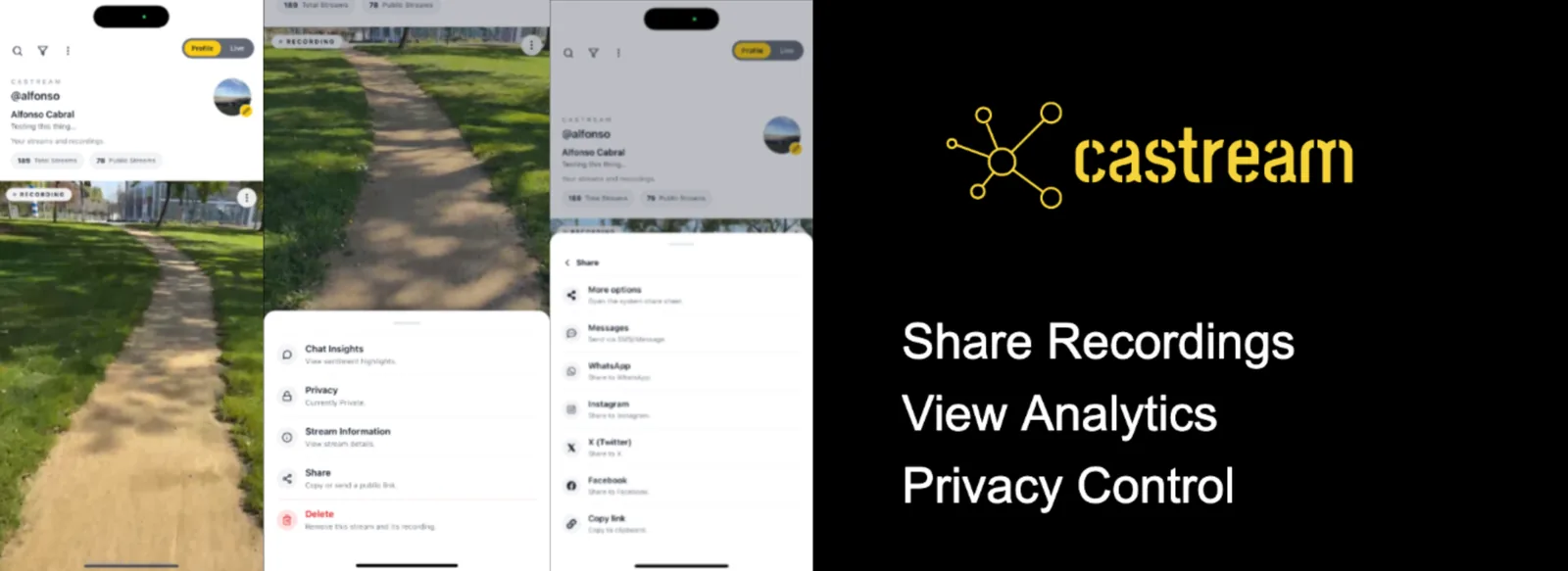
👤 Profile Screen (App)
Your Profile Screen is your home base inside Castream. It’s where your identity lives, your streams show up, and your audience can find you.
Think of it as your personal broadcast hub 📡
🆔 Your @handler (your identity)At the top of your profile, you’ll see your @handler.
- Example:
@alfonso - Your profile URL: https://castream.io/@yourhandler
🚨 When you sign up, you get a random handler by default.
You can change it to a unique one (if available) in:
Settings → Account
Your @handler powers:
- Your public profile page 🌐
- Your live stream preview 🎥
- Your shareable identity across Castream
Your profile includes:
- Display name (e.g. Castream)
- Bio (short description about you)
- Profile picture
- Stats:
- Total Streams
- Public Streams
Tap the ✏️ icon to edit your profile.
🔍 Discover & Search CreatorsUse the search icon 🔎 at the top of the screen to explore Castream.
You can:
- Find other @handlers
- Discover Castream creators
- Watch public streams and recordings
🌐 Only public streams from other users are visible.
This is the easiest way to explore content and see how others are using Castream.
🎥 Your Streams & RecordingsBelow your profile, you’ll see your stream history:
- 🔴 Live streams
- 🎥 Recordings (past streams)
- 🔒 Private vs 🌐 Public visibility
Each stream card shows:
- Title
- Status (Live / Recording)
- Timestamp
- ⏱ Duration
- 💬 Chat messages count
- 📡 Destinations (Castream + any external platforms like YouTube, Twitch, Facebook)
This gives you a quick snapshot of how each stream performed and where it was broadcast.
⚙️ Stream OptionsTap the ••• (menu) on any stream to access:
- 💬 Chat Insights (sentiment & highlights)
- 🔒 Privacy (Public / Private)
- ℹ️ Stream Information (details, duration, destinations, chat count)
- 📤 Share (copy link or share externally)
- 🗑 Delete (remove stream and recording)
You can delete any stream from your profile:
- Tap ••• (menu) on the stream
- Tap Delete
- Confirm
⚠️ Deleting a stream will permanently remove:
- The recording
- Stream data
- Chat messages
This action cannot be undone.
🔒 Privacy ControlEach stream can be:
- Private 🔐 → Only accessible via direct link
- Public 🌐 → Visible on your profile and discoverable
📤 Sharing Your Profile & Streams⚠️ If you want your stream to appear on your profile (
/@yourhandler),
make sure Privacy = Public
From your profile or stream:
-
Copy your profile link
→ https://castream.io/@yourhandler -
Or share a specific stream
You can share via:
- Messages
- X (Twitter)
- Or copy the link 🔗
At the top right, you’ll see:
- Profile → Your streams and recordings
- Live → Active live session (when streaming)
This lets you quickly switch between managing your content and going live.
💡 Pro tips- Keep your @handler clean and memorable (this becomes your link)
- Set streams to Public if you want visibility
- Use search to discover other creators and get inspiration
- Review chat message counts to understand engagement
- Check destinations to confirm where your stream was broadcast
- 👤 Your profile is your broadcast identity
- 🆔 Your @handler powers all your links
- 🔍 Search lets you discover other creators and public streams
- 🎥 All your streams and recordings live here
- 💬 Chat message count shows engagement per stream
- 📡 Destinations show where your stream was broadcast
- 🗑 You can delete streams anytime (permanently)
- 🔒 Privacy controls visibility
- 📤 Easy sharing to external platforms
- 📡 Your profile becomes your central hub on Castream
This is your stage when you’re not live. And your landing page when you are.
Castream2/27/2026
Live Streaming Preview
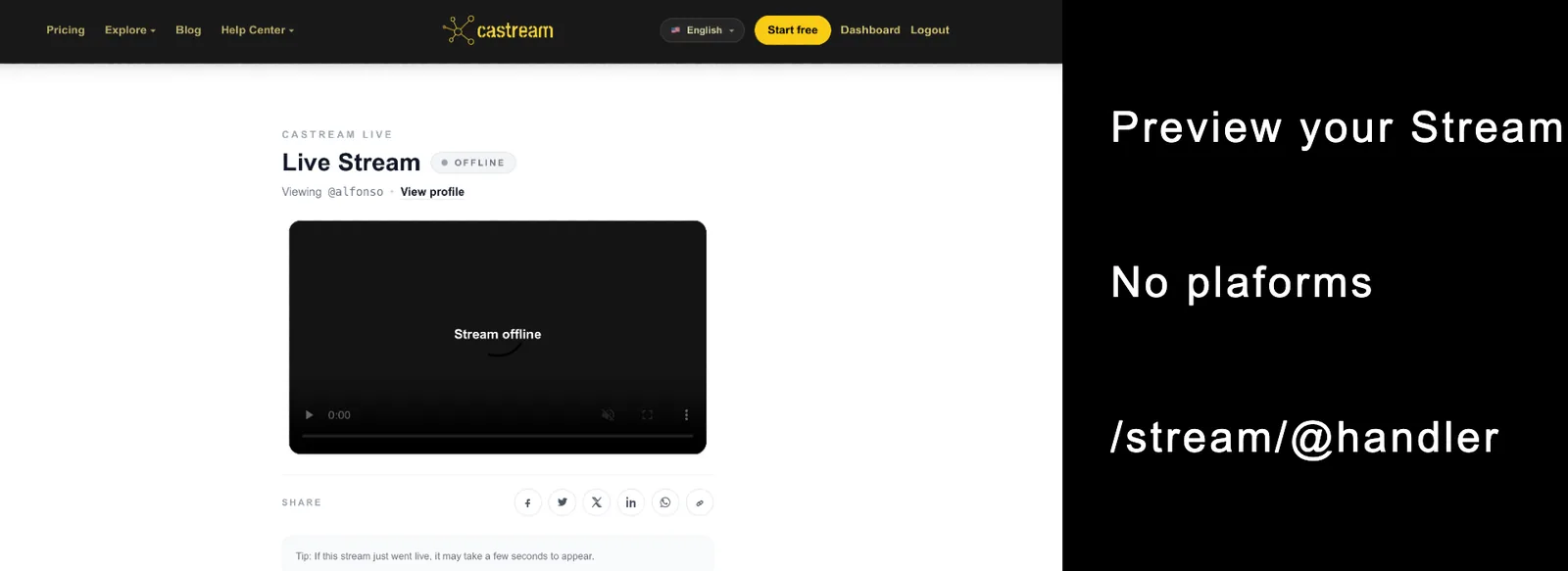
🎥 Live Stream Preview
Going live for the first time can feel like stepping onto a stage with no rehearsal. Castream gives you a private “backstage mirror” so you can see exactly what your stream looks like before sharing it with the world.
👀 What is Live Stream Preview?Live Stream Preview lets you watch your stream in real time on a private, unlisted page tied to your username (your @handler) on the Castream platform.
🚨 New here? Claim your @handler first
When you sign up, Castream assigns you a random handler (like a temporary name).
You can change it anytime to a unique @handler (if available).
Go to Settings → Account to claim yours.
-
Public profile (share anytime on Castream):
https://castream.io/@yourhandler -
Live preview (only active while streaming):
https://castream.io/stream/yourhandler
Example:
- Public profile: https://castream.io/@alfonso
- Live preview: https://castream.io/stream/alfonso
Think of it as your personal control room monitor 🎛️
🚀 Why use Live Stream Preview?Before sending your stream out to external platforms like YouTube, Twitch, or Facebook, you can:
- ✅ Check video quality and framing
- 🔊 Make sure audio is working
- 🛠 Catch issues before your audience does
No pressure. No audience. Just you and your stream inside Castream.
⚙️ How it works- Open Castream and tap Go Live
- Start streaming (no external destinations required)
- Visit your preview URL:
https://castream.io/stream/yourhandler - Watch your stream in real time
That’s it. No setup, no extra steps.
🔒 Privacy & visibilityBy default, your live stream preview on Castream is unlisted.
To make your stream appear on your public Castream profile and other surfaces:
- Go to destinations toggles (in Go Live screen)
- Tap on Castream (platform destination)
- Set Privacy = Public for this and future sessions
Once set to public:
- 🌐 Your stream appears on your Castream profile (
/@yourhandler) - 👀 Others can discover and watch your stream
If not set to public:
- 🔐 Your stream stays private
- Only people with your preview link can view it
Nope.
You can go live using Castream only, without linking any external platforms.
Castream always creates your preview stream, so you can:
- 🧪 Test privately
- 👥 Share with a small group
- 🔍 Verify everything looks good before broadcasting externally
Once you’re happy with your preview, you have two options:
Option 1: Share your Castream profile 🌐Send people to your Castream page:
- https://castream.io/@yourhandler
⚠️ Make sure your Castream privacy is set to Public for it to appear here.
Your live stream will show automatically when you're live.
Option 2: Stream to external destinations 🔗Connect platforms like:
- YouTube
- Twitch
- Facebook Pages
Then go live and Castream will broadcast everywhere at once.
💡 Pro tipUse your preview link like a secret doorway 🗝️
- Send it to a friend for a quick “does this look good?” check
- Test new setups without notifying your audience
- Iterate fast inside Castream before going live externally
- 🎥 Every stream gets a private preview page on Castream
- 🔓 No external destinations required to go live
- 🔒 Privacy controls whether your stream is public or unlisted on Castream
- 🆔 You start with a random handler and can claim a custom one
- 🌐 Your Castream profile becomes your shareable hub when set to public
- 🔗 Optionally stream to external destinations like YouTube, Twitch, and Facebook
- 🎯 You control when and where your stream goes public
Your stream. Your stage. Your timing.
Platform Guides2/18/2026
How to Stream to YouTube Live Using Castream (Step-by-Step)
You can stream to YouTube Live using Castream by securely connecting your YouTube account through OAuth and publishing directly to your channel.
No manual stream keys required. No copying RTMP URLs.
Here’s how to do it 👇
✅ RequirementsTo use YouTube Live with Castream:
- You must have a YouTube channel
- Your channel must be enabled for live streaming
- You must connect YouTube via Google OAuth
- Your channel must not have live streaming restrictions
🔗 Connect YouTube to Castream (OAuth)If this is your first time going live on YouTube, activation may take up to 24 hours.
You can connect YouTube from either the app or web.
📲 Connect YouTube in Castream APP- Open the Castream app
- Go to Settings → Destinations
- Tap YouTube
- Tap Connect YouTube
- You will be redirected to Google
- Log in and select your YouTube channel
- Approve the requested permissions
Once approved, YouTube will appear as a connected destination.
🖥️ Connect YouTube in Castream Web- Log in to Castream Web
- Go to Destinations
- Click Add Destination → YouTube
- Click Connect YouTube
- Sign in with Google
- Select your channel and approve permissions
YouTube is now securely linked to your Castream account.
🎬 Create a YouTube Live StreamBefore going live, you can configure stream details:
- Title
- Description
- Visibility (Public / Unlisted / Private)
You can set this inside Castream before publishing.
Castream will automatically create and bind the YouTube broadcast for you.
🤖 AI Title & Description GeneratorCastream includes built-in AI tools to help creators generate high-performing stream titles and descriptions instantly.
You can use AI whether you’re starting from scratch or refining an existing draft.
🧠 AI Modes for Creators ✍️ Custom Prompt ModeWrite your request in natural language — just like any AI.
Perfect for specific styles, moods, or detailed instructions.
Generates:
- 5 title suggestions
- 5 description suggestions
every time.
Ideal for creators who want full control over tone and style.
Example prompts
- “Write a hype gaming title for a boss fight stream.”
- “Give me a calm, educational description for a coding tutorial.”
- “Suggest 5 title variations that fit a travel vlog style.”
Paste your rough draft — AI cleans it up instantly.
It will:
- Fix grammar
- Add clarity
- Keep your original tone intact
Outputs:
- 5 polished title options
- 5 refined descriptions
Optimized for discoverability on:
- YouTube
- Twitch
- Short, messy working titles → standardized, clean versions
- Long run-on descriptions → concise, structured options
- Improved SEO keywords without forcing a different tone
You can generate AI suggestions directly from the stream setup screen before going live.
🚀 Go Live to YouTube From Castream APP- Open the app
- Toggle YouTube ON
- Tap Go Live
Castream will automatically create the live event and publish your stream to YouTube.
From Castream Web + OBSIf you're streaming from OBS:
- Open OBS Studio
- Go to Settings → Stream
- Set Service to Custom
- Enter your Castream RTMP URL
- Enter your Castream Stream Key
- Click Apply → OK
Start streaming from OBS.
Then:
- Open the Go Live Dashboard
- Select YouTube
- Click Go Live
Castream will create and bind the YouTube broadcast automatically.
🧠 Pro Tips for YouTube Live- Recommended bitrate:
- 720p → 3–4.5 Mbps
- 1080p → 4.5–6 Mbps
- Use strong titles and descriptions for better discovery
- AI-generated metadata can improve SEO reach
- Choose Public visibility to maximize reach
- Schedule streams in advance to build anticipation
- Monitor chat inside YouTube Studio during your live session
Access YouTube Studio here:
YouTube Studio
- You must maintain an active YouTube authorization
- If you revoke Castream access in Google settings, you’ll need to reconnect
- Advanced analytics remain inside YouTube Studio
- YouTube may apply stream delays depending on latency settings
- Castream does not store your Google password
- Authentication is handled through secure OAuth
- You can revoke access anytime in your Google Account permissions
Platform Guides2/18/2026
How to Connect Twitch to Castream via OAuth
You can stream to Twitch using Castream by connecting your Twitch account directly through secure OAuth authentication.
No manual stream keys. No RTMP copy/paste.
Here’s how to do it 👇
✅ RequirementsTo use Twitch with Castream:
- You must have a Twitch account
- You must authorize Castream via Twitch OAuth
- You must grant streaming permissions during authorization
🔗 Connect Twitch to Castream (OAuth)Castream does not store your Twitch password. Authentication is handled securely through Twitch.
You can connect Twitch from either the app or web.
📲 Connect Twitch in Castream APP- Open the Castream app
- Go to Settings → Destinations
- Tap Twitch
- Tap Connect Twitch
- You will be redirected to Twitch
- Log in and authorize Castream
- Once approved, Twitch will appear as a connected destination
That’s it — no stream key required.
🖥️ Connect Twitch in Castream Web- Log in to Castream Web
- Go to Destinations
- Click Add Destination → Twitch
- Click Connect Twitch
- You’ll be redirected to Twitch
- Log in and approve the requested permissions
Twitch is now securely linked to your Castream account.
🚀 Go Live to Twitch From Castream APP- Open the app
- Toggle Twitch ON
- Tap Go Live
Castream will automatically handle stream key management and publish your stream to Twitch.
From Castream Web + OBSIf you're streaming from OBS:
- Open OBS Studio
- In Settings → Stream
- Set Service to Custom
- Enter your Castream RTMP URL
- Enter your Castream Stream Key
- Click Apply → OK
Start streaming from OBS.
Then:
- Open Go Live Dashboard
- Select Twitch
- Click Go Live
Castream will forward your stream to Twitch using your connected account.
🧠 Pro Tips for Twitch- You can update your Title, Category, and Tags before going live from the Castream dashboard
- Recommended bitrate:
- 720p → 3–4.5 Mbps
- 1080p → 4.5–6 Mbps
- Use OBS scenes for overlays and transitions
- Twitch chat moderation remains managed through Twitch tools
- You must maintain an active Twitch authorization
- If you disconnect Twitch from your Twitch settings, you’ll need to reconnect it in Castream
- Twitch-specific analytics and chat tools are managed inside Twitch
Platform Guides2/18/2026
How to Stream to Instagram Live via RTMP
You can stream to Instagram Live using Castream by connecting through Instagram Live Producer, Meta’s official RTMP-based streaming tool — available to eligible Professional accounts.
Here’s how to do it the right way 👇
✅ RequirementsTo use Instagram Live with RTMP:
- You must have an Instagram Professional account (Creator or Business)
- You must access Instagram Live Producer via desktop
- You’ll need to manually copy your RTMP server URL and stream key
🔗 How to Get Your Instagram RTMP Info (Desktop)Personal accounts are not supported. Upgrade to a Professional account in your Instagram settings to unlock Live Producer access.
- On desktop, go to Instagram and log in
- Click the + (Create) icon → select Live
- Choose "Streaming via RTMP" (you may see "Broadcast software")
- Instagram will show:
- RTMP Server URL
- Stream Key
- Leave that window open — do not close it
- Open the Castream app
- Go to Settings → Destinations
- Tap Instagram
- Enter the Server URL and Stream Key from Instagram Live Producer
- Save — your Instagram Live destination is now ready
- Toggle it ON when you go live
🖥️ Set Up in Castream Web + OBS⚠️ Instagram’s RTMP credentials expire after each session. You must repeat this flow every time you want to stream.
If you prefer streaming from a desktop setup using OBS:
Step 1 — Get Your Instagram RTMP CredentialsFollow the same steps above in Instagram Live Producer to retrieve your:
- RTMP Server URL
- Stream Key
Keep the Instagram Live Producer tab open.
Step 2 — Configure Castream as Your RTMP Destination- Log in to Castream Web
- Go to Destinations
- Add or select Instagram
- Paste your RTMP Server URL and Stream Key
- Save the destination
- Download and install OBS Studio
- Open OBS Studio
- Go to Settings → Stream
- Set Service to Custom
- Enter your Castream RTMP URL and Stream Key
- Click Apply → OK
- Start streaming from OBS
- Castream will receive your feed
- Open Go Live Dashboard
- Select your Instagram destination
- Click Go Live
Castream will now forward your stream to Instagram.
Step 6 — Confirm Broadcast on Instagram- Return to the Instagram Live Producer tab
- Click Go Live to begin broadcasting publicly
🧠 Pro Tips for Instagram LiveInstagram requires manual confirmation before your stream becomes visible to viewers.
- Use portrait mode for best layout
- Keep bitrate around 2.5–4 Mbps
- Give your stream a Title when setting it up in Live Producer (optional)
- Monitor chat and viewers directly from the Instagram Live Producer tab
- No official Instagram API yet for scheduling, chat, or analytics
- No auto-reconnect — if your RTMP key expires, the stream will silently end
- You must start the live broadcast manually from the Instagram tab after Castream begins streaming
Getting Started2/12/2026
Create an Account
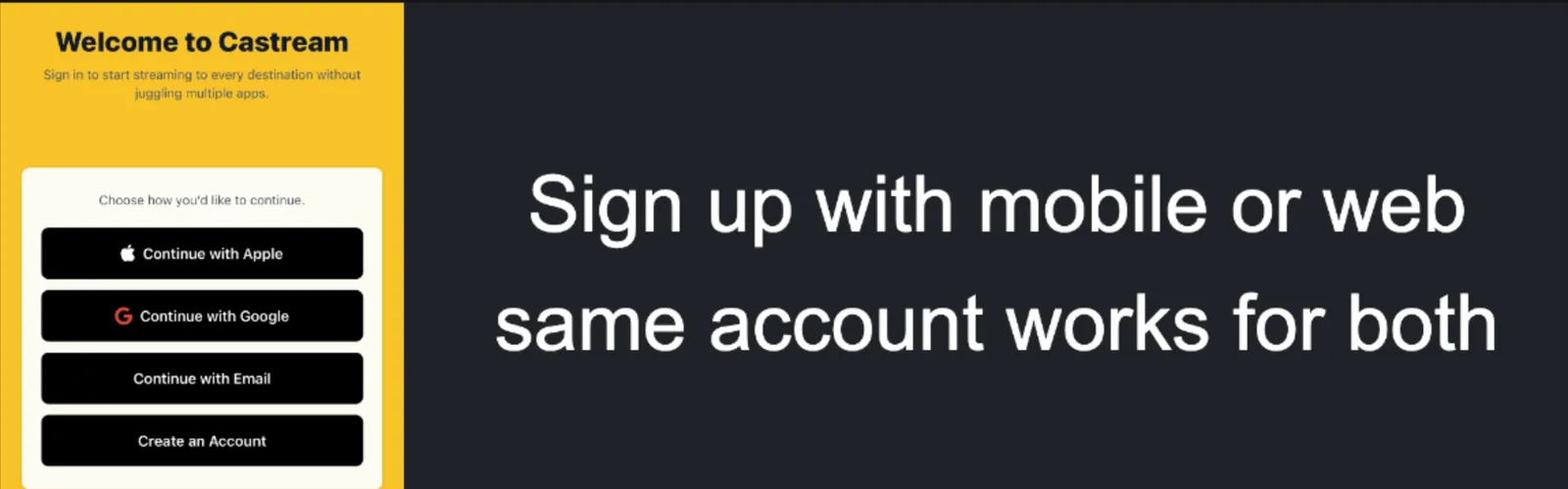
🔐 How to Create a Castream Account
Ready to go live without juggling devices or fighting OBS? Castream gets you streaming fast, whether you start on mobile or web.
🚀 Option 1: Create an Account on Mobile (iOS or Android) 📱 On iOS or Android-
Download the Castream App
Find Castream on:
- App Store (iOS)
- Google Play (Android)
-
Open the App & Sign In
Choose one of the following:
- Google (fastest, recommended)
- Apple (best on iOS)
- Email & Password
If you use Email & Password, we’ll send you a verification email.
📩 You must click the verification link to activate your account.
(Check spam if it doesn’t show up.)
-
Grant Permissions
We’ll ask for access to:
- Camera
- Microphone
These are required to go live from your phone.
-
Link Your Destinations
Connect platforms like:
- YouTube
- Facebook Pages
- Twitch
- TikTok (RTMP)
- Instagram Live (RTMP)
- Custom RTMP destinations
-
Go Live
Pick your destinations, tap Go Live, and you’re streaming.
You can also start at https://www.castream.io
💻 On Web / Desktop-
Sign Up or Log In
- Apple
- Email & Password (email verification required)
-
Manage Your Account
From the web dashboard you can:
- Manage your subscription & billing
- Connect and manage destinations
- Configure stream settings
- View stream history and artifacts (recordings, clips, uploads)
-
Start Streaming
- Use the Castream mobile app for camera-based streaming
- Or stream from OBS / external encoders using your Castream RTMP ingest
One account works everywhere. No duplicates. No weird linking.
🧠 Pro Tips- Use the same login method across mobile and web
- One account = mobile + web + OBS
- If email verification doesn’t arrive, check spam or resend it
- Destinations only need to be connected once
Castream Web is live and growing. Right now you can:
- 🎛️ Manage subscriptions & plans
- 🔗 Connect and manage streaming destinations
- 📼 View recordings and uploaded artifacts
- 🧾 Configure RTMP ingest for OBS & external tools
- ⚙️ Manage account and stream settings
- 💬 Unified chat
- 🎙️ Upload videos for scheduled live streams
- 🚀 Launch & monitor live streams from the browser
- 🤖 Generate title and descriptions with Castream AI